Over the past one and a half years, my husband and I have taken two international trips, visiting nearly ten cities across different countries. The knowledge I’ve gained and the experiences I’ve had during these journeys are both vast and deeply personal. They are the kind of memories worth preserving.
During our first trip to Germany, I carried a notebook with the intention of jotting down my thoughts and experiences as we explored each city. To my credit, I managed to fill several pages during the first few days. However, writing by hand felt slow and unfamiliar, as I’m far more accustomed to typing. By the end of the trip, I had documented only about half the cities we visited, and even those entries felt vague and superficial. I couldn’t fully capture the places I had seen, the food I had tasted, or the countless little moments that made the journey memorable.
We recently visited Vietnam on a ten-day trip. Before we left, I decided that this time I wanted to document the journey more thoughtfully - to capture my experiences while they were still fresh, rather than relying on memory weeks later. That realization led me to build a travel journal application tailored to my own preferences and writing habits.
Problem Statement
1. Lack of a dedicated digital journal for travel diarists
Although there are plenty of note-taking applications such as Notion, Apple Notes, and Evernote, I have yet to come across one that allows me to document my travels in a way that mirrors my itinerary.
For example, if I plan to visit five places in a city, I want to record my thoughts, observations, and memories against each of those places. General-purpose note-taking apps require significant manual effort to create and maintain such a structure. As a result, my travel journal often ends up feeling disorganized, making it difficult to revisit specific experiences later.
2. Travel planning apps rarely support travel journaling
There is no shortage of travel planning applications that help users build itineraries, manage bookings, and organize their trips. However, most of them stop being useful once the journey begins.
They do not provide a meaningful way to capture the experiences, emotions, and memories associated with each destination or activity. This forces travelers to switch between multiple applications - one for planning and another for journaling. I felt there was a need for a single platform where travelers could both plan their itinerary and document their experiences as the journey unfolded.
Process
I am not a coder by profession and so I lack the skills to build a fully functional web app on my own. I, therefore, enlisted AI in helping me build one. I will explain my process step-by-step here.
1. Prototyping with Claude
I gave a simple prompt to Claude to help me build a travel application suited to mobile interfaces. It took a few seconds for Claude to generate the result. The result was a thousand-line indecipherable HTML code that was good to look at but difficult to make changes to. I believe this is what they call ‘Vibe coding’.
Having worked alongside software engineers for several years, I knew that a monolithic codebase was not a sustainable foundation for a real product. So I abandoned the Claude prototype and pondered more on the right way to build the app.
First Draft: Claude Prototype of Travel Journal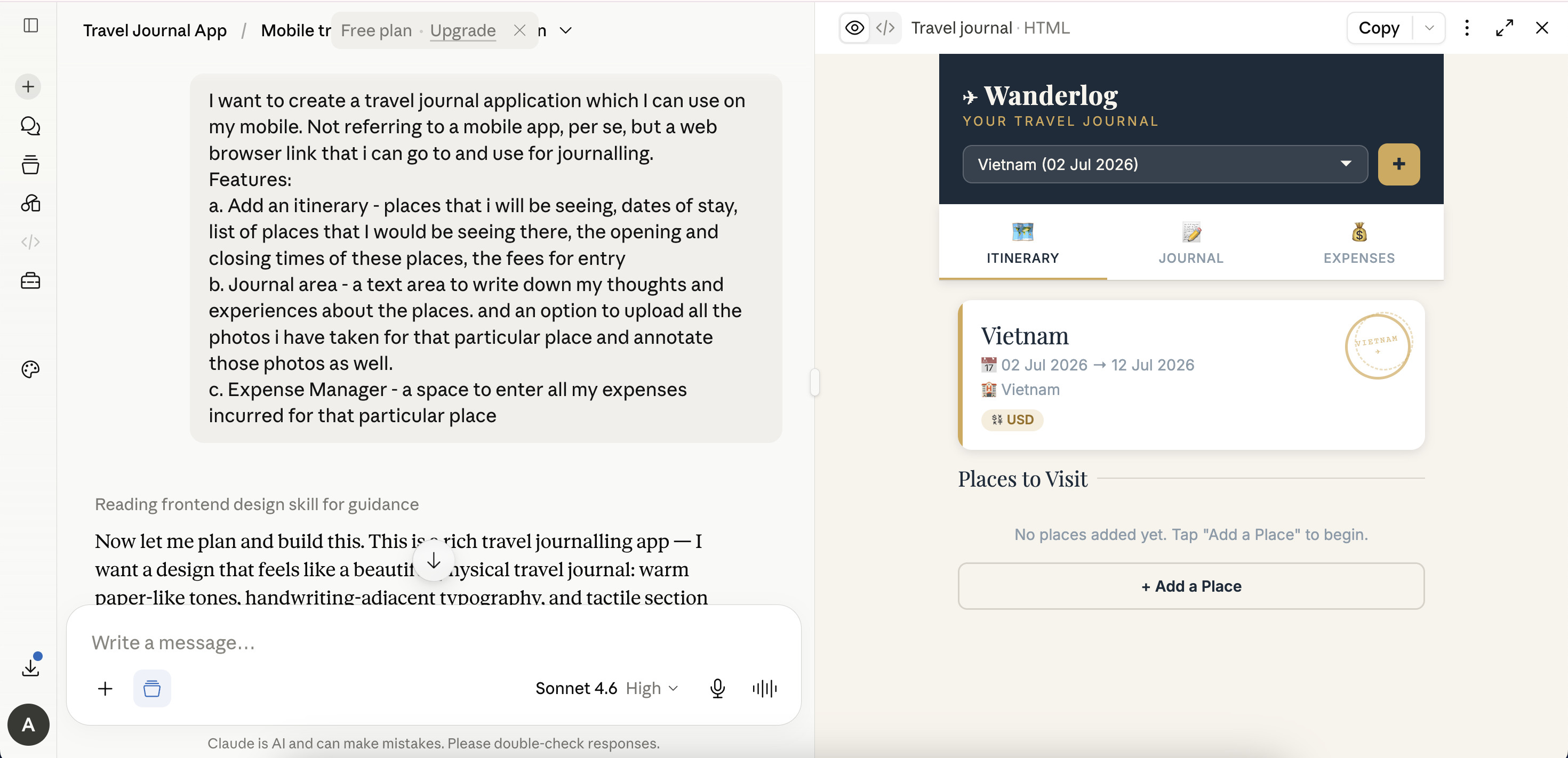
2. The PM way
Being a Product Manager, I decided to approach the problem a little differently. I wrote a one-pager requirement doc Travel Journal PRD and used Google Stitch
Stitch is Google’s Figma equivalent
to create wireframes based on it.
The result was a beautiful set of wireframes that closely matched the product I had envisioned. I realised that this would require significant front-end development, and I simply didn’t have time to make such a complex app.
Second Draft: Wireframes made via Google Stitch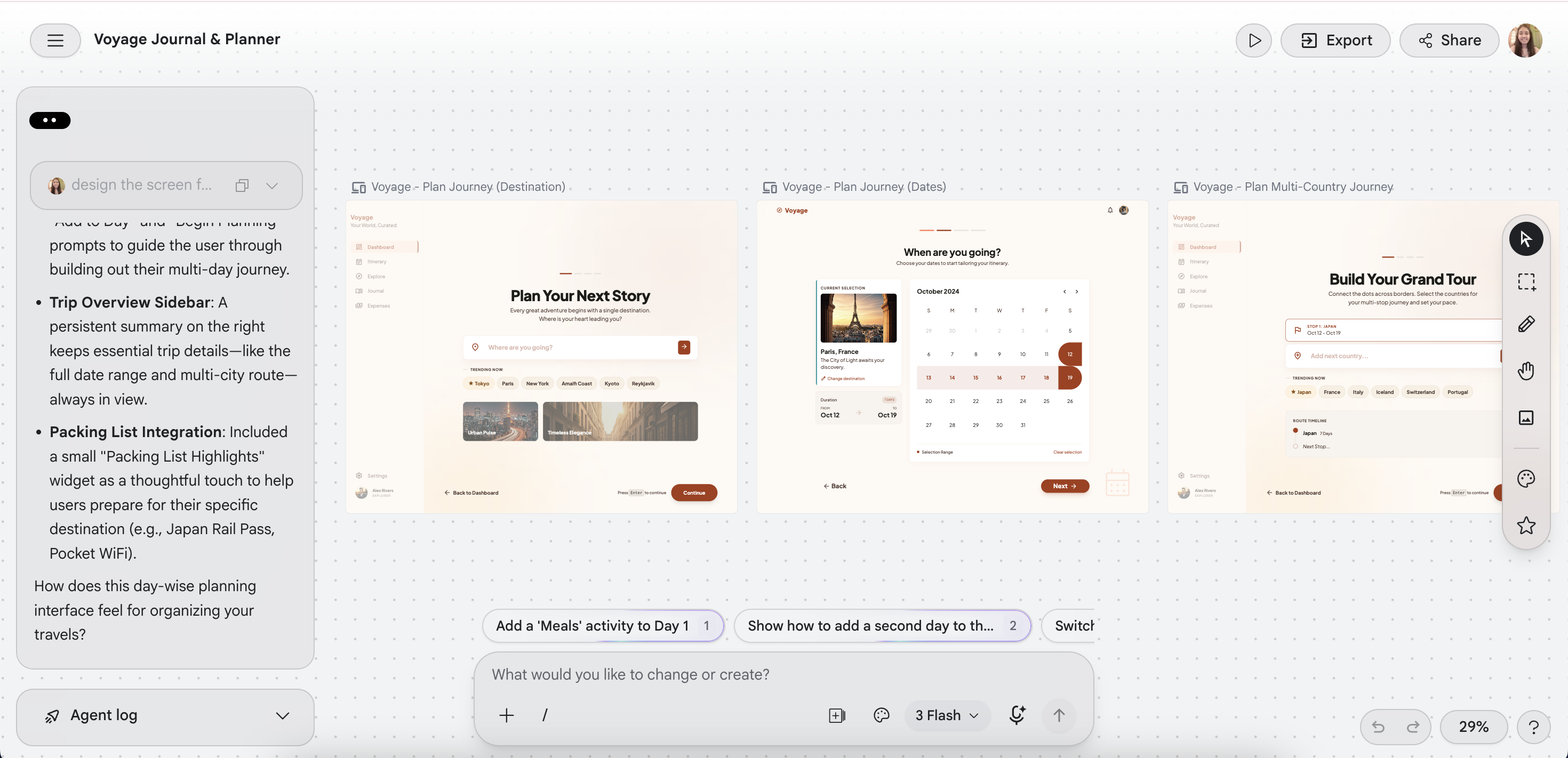
3. AI-assisted pair programming
Looking back, I could have given better prompts in my first two attempts and asked the AI to build the app the way professional software developers do.The peril in adopting such an approach was that I would have delegated all the architectural decisions to AI without truly understanding what it is that I am building. In my third attempt, I took a more traditional software engineering approach. I owned the architectural decisions and used AI as a collaborator rather than the builder. With this approach, I did the following:
- Started with the product idea and wrote out milestones.
- Designed the data model (Trips, Itinerary, Journals, Expenses, Travelers, Settlements, etc.).
- Chose the technology stack (Next.js, Prisma, PostgreSQL, Google OAuth, Cloudinary).
- Broke the work into features and implemented them incrementally.
- Used AI to debug, explain concepts, and generate boilerplate, while making the architectural decisions myself
- Refactored, migrated databases, and fixed issues as they arose.
Result
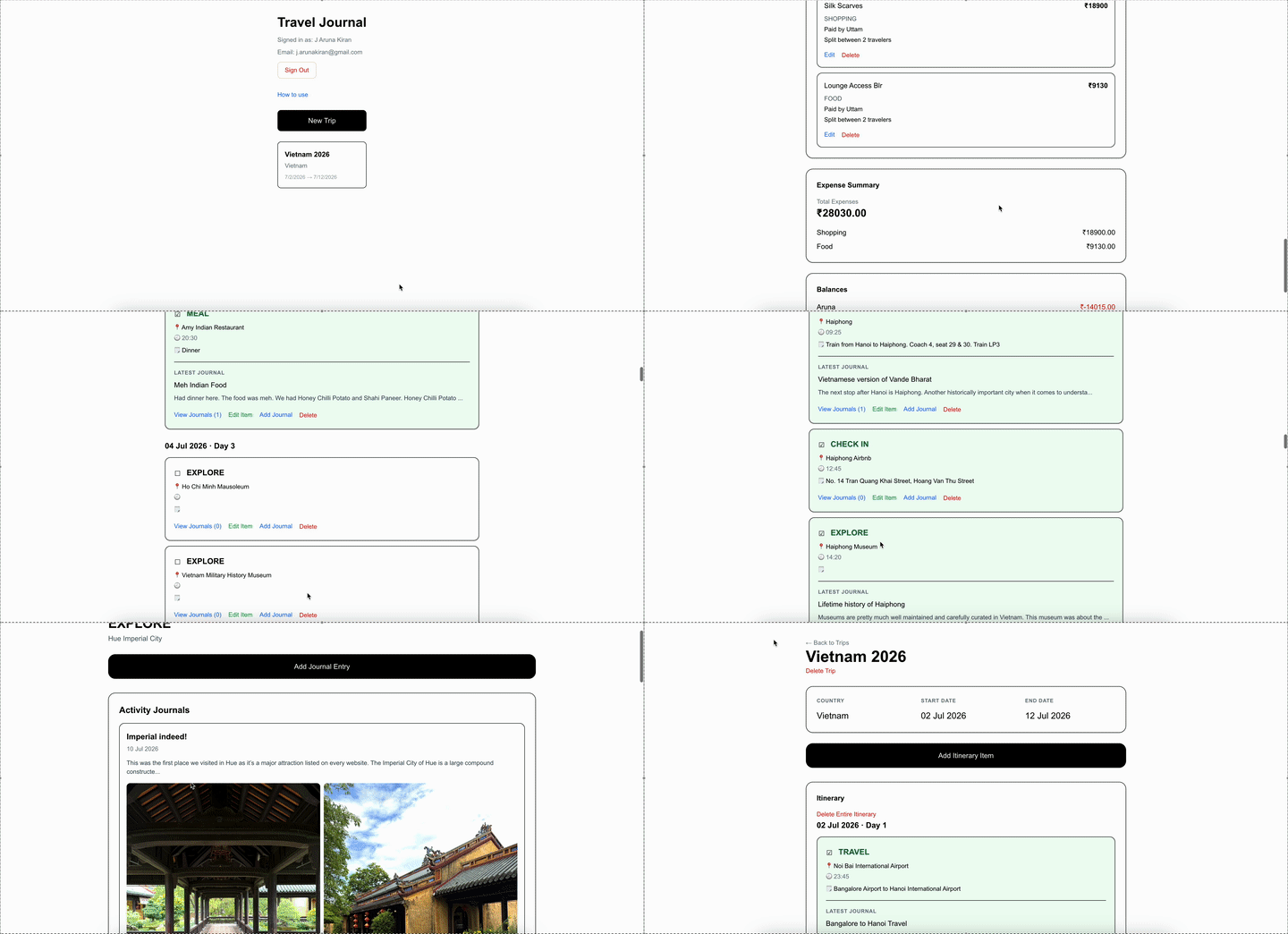
Final Result: Travelogue made via AI Assisted Pair Programming
As a Product Manager, I naturally gravitate towards metrics. The first question I asked myself after building the app was: Would I actually use it? I put it to the test during my recent trip to Vietnam. Instead of relying on my usual notes app, I used Travelogue throughout the trip. The results were encouraging:
- 1 trip created.
- 54 itinerary items planned and completed.
- 37 journal entries written against those activities - meaning I documented nearly 67% of my trip while I was still traveling.
For a first real-world test, I was pleased with the outcome. More importantly, the experience helped me validate my product and identify several improvements that I have now pushed to backlog 😛.
In my next post, I will be writing more about the technical details of how I built the app - tech stack I used, the database schema design decisions I took, the trade-offs and so on.